NHS App
Manage your NHS services online
The NHS App is a secure and convenient way to access NHS services using your smartphone, tablet or computer.
You can use the NHS App to manage some of your healthcare without contacting the practice. The services available to you depend on your age, NHS account, identity verification and the services enabled by Clapham Family Practice.
You can also use NHS App services through the NHS website without downloading the app.
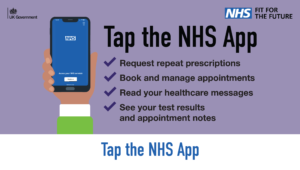
Depending on the services available to you, you may be able to:
💊 Manage prescriptions
- Request repeat prescriptions
- View your medicines
- Change your nominated pharmacy
📅 Manage appointments
- Book available GP appointments
- View and cancel GP appointments
- View appointment information
- Manage hospital and specialist appointments where available
📋 View your health information
You may be able to view:
- Test results
- Medicines and allergies
- Health conditions
- Appointment notes and other updates
- Documents in your GP health record
You may not be able to see all information in your record. Some older information may not be available online.
If you need access to information that is not available through the NHS App, please see our Access Your Medical Records page.
🏥 Manage hospital referrals
If you have been referred through the NHS e-Referral Service (e-RS), you may be able to use the NHS App to:
- View your referral
- Choose your first hospital or clinic appointment
- Book an available appointment
- Manage or cancel your appointment where the service allows
If your referral is available to manage through the NHS App, look under Appointments → Referrals.
💬 Contact your GP practice
Depending on the services we have enabled, you may be able to use the NHS App to:
- Ask about a health problem
- Request information or a letter
- Access online services provided by the practice
Please follow the information on our website about how to contact the practice.
The NHS App does not replace urgent or emergency care.
1. Download the NHS App
Download the NHS App from the Apple App Store or Google Play, or use NHS App services through the NHS website.
2. Create or sign in to your NHS account
You will need an NHS login.
You must be 13 or over and registered with a GP surgery in England to use NHS App services.
3. Prove your identity
To use many NHS App services, you will need to verify who you are.
The NHS App may allow you to verify your identity using photo ID or other methods. If you cannot complete verification online, the NHS App will tell you what to do next.
4. Connect to Clapham Family Practice
Once your NHS account is connected to your GP record, you can access the services that are available to you.
You do not need to register for Patient Access separately to use the NHS App.
Not all NHS App services are available to every patient.
For example, you may not be able to book an appointment online if there are no appointments currently available or if the relevant appointment type is not offered through the NHS App.
If you cannot see the service you need:
- Check the information on our website for the appropriate way to contact us.
- Contact the practice if you need help accessing a service.
- If you need urgent medical advice, use NHS 111 online or call 111.
- If it is a life-threatening emergency, call 999.
The NHS website has step-by-step guidance and videos showing you how to:
- Set up the NHS App
- Verify your identity
- Order repeat prescriptions
- Manage appointments
- View test results
- View documents
- Use family and carer access
- Manage hospital referrals
You can also use the NHS App without downloading it by signing in through the NHS website.
You can still access NHS services if you:
- Do not have a smartphone or tablet
- Do not have internet access
- Have difficulty using digital services
- Need reasonable adjustments because of a disability
- Prefer to use another way of contacting the practice
Please contact Clapham Family Practice if you need help or an alternative way to access a service.
We want all our patients to be able to access the care and services they need.